AI Voice Agents for Customer Service: Benefits, Use Cases, and How to Choose
Discover how AI voice agents for customer service answer calls, automate support tasks, connect with CRMs, and hand complex issues to human agents. Try Voicecon AI Agents free for 7 days.
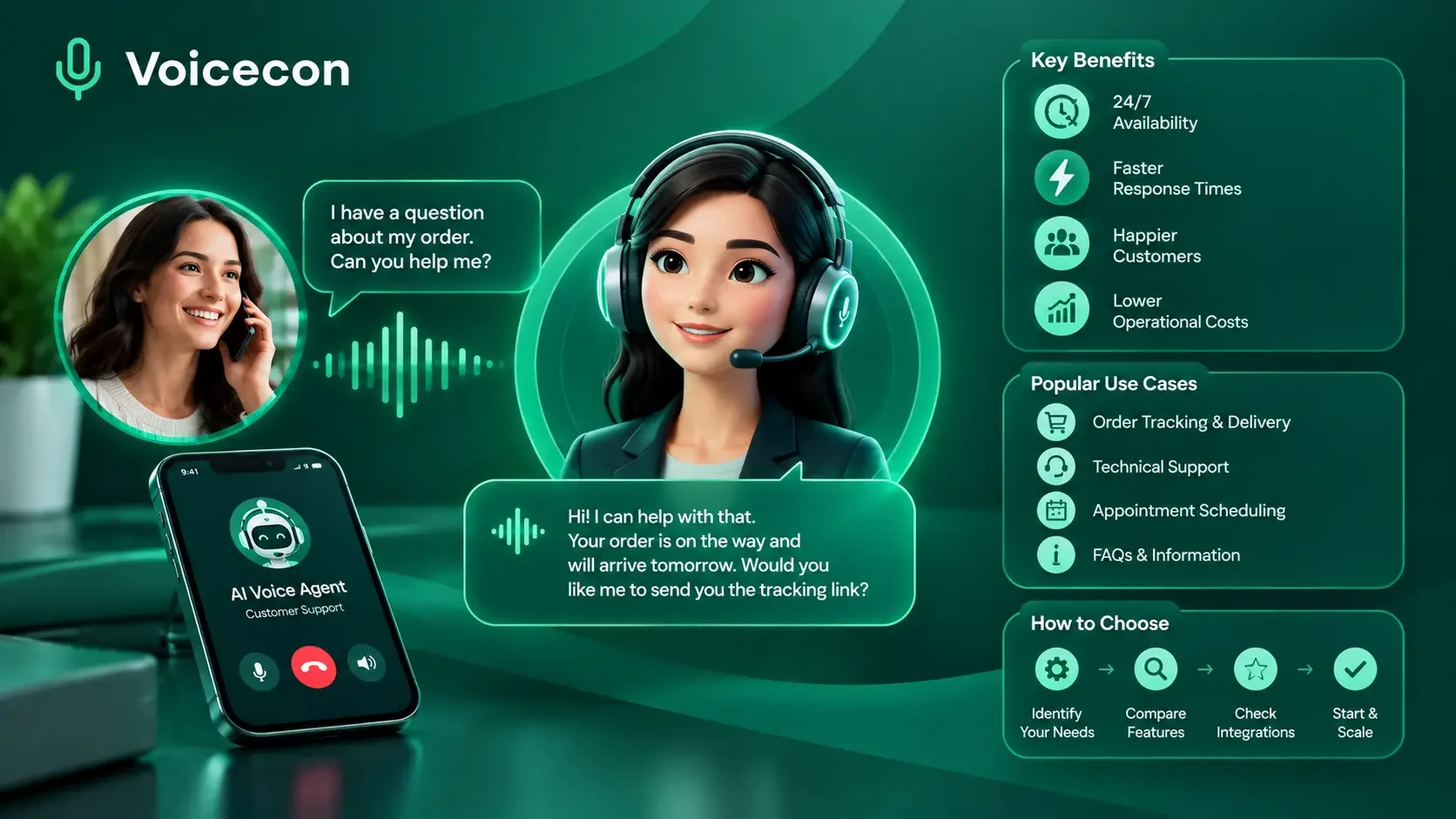
AI voice agents for customer service help businesses answer phone calls, understand customer requests, provide accurate information, and complete routine tasks without requiring a human representative for every interaction. At Voicecon, we see the real value of voice AI in what happens during and after a conversation: customers receive useful answers, and businesses can turn calls into actions, records, appointments, and follow-ups.
For companies in the United States and Australia, customer service calls can become difficult to manage as demand grows. Missed calls, repetitive questions, long queues, and manual data entry put pressure on support teams. A well-designed AI voice agent can help address these problems while allowing human representatives to focus on situations that need judgment, empathy, or additional authority.
The important question is not simply whether an AI agent can speak naturally. It is whether it can handle the customer's request accurately, work with your existing systems, and recognize when a person needs to take over.
What Are AI Voice Agents for Customer Service?
AI voice agents for customer service are software systems that communicate with customers through spoken conversations. They use speech recognition, conversational AI, and voice generation to understand requests and respond in real time.
Depending on their configuration and integrations, they can answer frequently asked questions, collect account or order details, check approved business information, schedule appointments, route calls, and initiate follow-up workflows.
Unlike a basic recorded phone menu, a conversational voice agent can respond to customers who explain their needs in their own words. More capable systems can also use connected tools to retrieve information or complete specific tasks.
For example, imagine a customer calling an online store to ask about a delayed order. An AI voice agent can ask for the order number, retrieve the relevant information from an authorized system, explain the available delivery details, and escalate the issue if the information indicates a problem. After the call, a workflow could record the conversation summary and notify the support team.
The precise actions depend on the agent's permissions, available integrations, and business rules.
How Do AI Voice Agents Work?
A customer-service voice agent typically follows a process like this:
Listen: Speech recognition converts the caller's spoken words into information the system can process.
Understand: The conversational model interprets the request and uses the conversation context to determine what the customer needs.
Retrieve information: The agent searches approved documents or calls an authorized tool when current account, order, or scheduling information is required.
Respond or act: It provides an answer, asks a clarifying question, or performs an allowed action.
Escalate when necessary: The agent transfers the call or arranges follow-up when the request falls outside its permitted capabilities.
Record the outcome: Where configured, the system stores the transcript, generates a summary, and triggers a workflow in connected business applications.
Each stage matters. A natural-sounding voice cannot compensate for outdated information, unreliable integrations, or poorly designed escalation rules.
Why Businesses Use AI Voice Agents for Customer Service
Businesses typically adopt voice AI to improve call handling and reduce repetitive work, not simply to add another AI feature to their technology stack.
1. Handle Routine Calls More Consistently
Customer-service teams often answer the same questions repeatedly: What are your opening hours? How can I track my order? What is your return policy? Can I reschedule my appointment?
We can configure an AI voice agent to answer these questions using approved company information. That gives callers another way to get routine information without waiting for a representative.
The knowledge base must be maintained carefully. If a return policy changes, for example, the agent's reference material should be updated before it provides the new information to customers.
2. Provide Support Outside Normal Business Hours
Customers do not always call when a support team is available. A voice agent can handle suitable inquiries outside business hours, capture important details, and direct urgent or complex cases into an appropriate escalation process.
This can be useful for businesses serving customers across multiple US time zones or Australian states.
However, availability is not the same as resolution. If a request requires human approval, the agent should explain what happens next instead of suggesting that the issue has already been solved.
3. Reduce Manual Follow-Up
A call can produce several tasks: update a CRM record, create a support ticket, notify a team member, or send a booking confirmation.
When the right integrations are configured, AI voice agents can initiate these actions through connected workflows. The objective is to reduce the administrative work that often follows a customer conversation.
4. Support More Calls Without Making Every Interaction Manual
During a busy period, several customers may call at once. A properly configured platform can handle multiple conversations within its concurrency and capacity limits.
This may reduce the number of callers who encounter a busy line or an extended queue. Actual capacity depends on the platform plan, telephony setup, and number of simultaneous calls supported.
Businesses should evaluate total operating costs rather than assuming that automation will automatically be cheaper than human support.
Common Use Cases for AI Voice Agents in Customer Support
The best starting point is usually a frequent, predictable task with clear rules and a straightforward way to verify the result.
Answering FAQs and Checking Order Status
E-commerce businesses receive calls about shipping, returns, product availability, and delivery estimates.
A voice agent can answer general questions from an approved knowledge base. For personalized order information, it needs access to an authorized order-management system or API, along with appropriate verification procedures.
It should never invent a delivery date or reveal customer information merely because a caller supplies an order number.
Booking Appointments and Managing Changes
Clinics, salons, repair companies, and professional services may use voice agents to handle appointment requests.
When connected to an appropriate calendar, an agent can check available slots, offer actual openings, confirm the customer's choice, and record the booking. It can also collect details for rescheduling or pass unusual requests to staff.
The key requirement is a reliable connection to the scheduling system. An agent should not confirm an appointment until the booking has actually succeeded.
Creating Support Tickets and Updating CRMs
A customer may call about a billing question or a technical issue that requires further investigation.
Instead of asking the caller to repeat the entire story to another employee, the voice agent can collect the relevant details, transfer the call when appropriate, and create a ticket with a summary of the conversation.
A configured workflow can then notify the support team. This helps employees start with context rather than reconstructing the interaction from scratch.
Routing Calls to the Right Department
Not every inquiry belongs with the same team. Sales questions, billing disputes, technical problems, and account-access requests may need different handling.
An AI voice agent can ask a few relevant questions, classify the request, and route it according to business rules. If the caller asks for a human, the system should respect that request according to the configured call flow.
How to Choose AI Voice Agents for Customer Service
Before selecting a platform, evaluate the complete customer journey rather than judging a vendor solely by its voice quality or product demonstration.
Evaluation criterion | What to check |
Conversation quality | Can callers interrupt, clarify questions, and speak naturally? |
Knowledge accuracy | Does the agent use approved, current information and admit when it does not know? |
Integrations | Can it access the CRM, calendar, help desk, or order system you actually use? |
Human handoff | Can it transfer calls with useful context and handle failed transfers appropriately? |
Reporting | Can you review call outcomes, transcripts, costs, and unresolved requests? |
Privacy and security | Are access controls, data retention, recording practices, and vendor terms suitable? |
Capacity and cost | What are the call limits, included minutes, additional usage charges, and concurrency limits? |
Setup and maintenance | Can your team update instructions, knowledge, and workflows without excessive engineering work? |
AI Voice Agents vs. Traditional IVR and Human Support
Traditional interactive voice response systems rely mainly on recorded prompts and menu choices. They can work well for simple routing, but callers may struggle when their requests do not fit the available options.
AI voice agents allow more flexible spoken interactions and, when connected to the right systems, can retrieve information or initiate actions.
Human representatives remain essential for sensitive complaints, exceptions, negotiations, complicated troubleshooting, and situations requiring judgment or empathy.
For many businesses, the strongest approach combines all three: use automation for predictable tasks, preserve simple routing where it works, and keep human support available for cases that need it.
How to Implement an AI Voice Agent in Five Steps
We recommend starting with a limited, measurable workflow rather than automating every incoming call immediately.
Step 1: Choose one customer-service problem.
Identify a recurring call type, such as checking business hours, tracking orders, or booking appointments. Review a representative sample of calls to understand common questions, exceptions, and reasons for escalation.
Step 2: Prepare your knowledge base.
Gather accurate FAQs, service policies, approved scripts, and relevant business information. Remove outdated documents and specify what the agent must do when information is missing or conflicting.
Step 3: Define actions and boundaries.
Decide which information the agent can retrieve, which tasks it can complete, and which situations require human intervention. Use authentication or verification procedures when customers request access to private account information.
Step 4: Test real-world conversations.
Test ordinary requests, unclear speech, background noise, interruptions, unexpected questions, angry callers, and failed integrations. Check whether the agent responds accurately and transfers the conversation when appropriate.
Step 5: Launch a controlled pilot and improve it.
Start with a defined call type or a limited portion of incoming traffic. Review transcripts and unresolved cases, correct knowledge gaps, and expand the scope only after the workflow performs reliably.
How to Measure AI Customer-Service Performance
A successful deployment should be evaluated using customer outcomes, operational efficiency, and cost.
Track these measures from the beginning:
Answer rate: The percentage of eligible incoming calls answered.
Containment rate: The percentage of calls handled without transfer to a human. This is useful, but it does not prove that a problem was solved.
Resolution rate: The percentage of eligible requests that are successfully resolved, using a clearly defined and verified outcome.
Escalation rate: The percentage of calls transferred or referred to a human.
Customer satisfaction: Feedback collected through an appropriate post-call survey or existing support process.
Cost per resolved call: Total relevant automation and operating costs divided by successfully resolved calls.
Error rate: Incorrect answers, failed actions, duplicate records, and other material problems.
For example, suppose an illustrative pilot handles 1,000 eligible calls, of which 600 are completed without human transfer. If only 480 of those calls are verified as resolved, the containment rate is 60%, while the verified resolution rate across all eligible calls is 48%.
This distinction matters. The remaining calls may have been transferred, abandoned, or left unresolved. They should not automatically be counted as successful outcomes.
To estimate cost per resolution, include platform fees, call usage, telephony, integration maintenance, monitoring, and human handling of escalated calls. Compare that total with the cost of handling equivalent requests through your existing support process.
Privacy, Reliability, and Human Oversight
Customer-service calls can contain names, contact details, account information, payment questions, and other personal information. Businesses should understand how their voice platform processes, stores, and shares that data.
For Australian organizations covered by the Privacy Act, the Office of the Australian Information Commissioner explains that privacy obligations apply to personal information used in AI systems. Its guidance recommends due diligence, appropriate transparency, and consideration of human oversight and security risks.
Read the OAIC guidance on privacy and commercially available AI products.
For US businesses, requirements can vary according to industry, state, and the information being processed. Review applicable privacy rules, call-recording consent requirements, security obligations, and any sector-specific requirements with qualified counsel.
We also recommend maintaining clear boundaries: do not let the agent invent policy exceptions, make unsupported promises, or perform sensitive actions without the required verification and authorization. Human representatives should be able to review important outcomes and take over when necessary.
How Voicecon Supports Customer-Service Automation
At Voicecon, we bring AI voice agents and no-code workflows together so businesses can connect spoken conversations to the systems they already use.
Our platform supports customer-service agents that answer from uploaded knowledge-base documents, collect customer details, transfer calls, and initiate configured workflows. Depending on the setup, these workflows can create support tickets, post summaries, update business records, or notify the relevant team.
Businesses can configure an agent, test it through the browser, connect an appropriate phone number, and refine its behavior using call transcripts and analytics. Voicecon also lists integrations including HubSpot, Zendesk, Google Calendar, Slack, Twilio, and Telnyx.
You can explore the Voicecon customer-service use cases or review the Voicecon platform to understand how agents and workflows fit together.
Try Voicecon With a Seven-Day Free Trial
We offer a 7-day free trial with no credit card required, so you can explore the platform before choosing a paid plan.
A useful first test is to build one customer-support agent, add your approved FAQs, create a clear human-handoff rule, and test the conversation against common customer questions.
One important distinction: the trial allows you to build and test an agent, but the published trial terms state that purchasing a phone number requires a paid plan. Confirm the current trial limits and deployment requirements before planning a live phone-number rollout.
Start your seven-day free trial with Voicecon
Frequently Asked Questions
What are AI voice agents for customer service used for?
They are used to answer routine questions, retrieve approved information, check order status, book appointments, collect customer details, route calls, and initiate support workflows. Their capabilities depend on their configuration and connected systems.
Can AI voice agents replace human customer-service representatives?
They can automate suitable repetitive tasks, but they should not be treated as a complete replacement for human support. Complex complaints, unusual cases, sensitive requests, and situations requiring judgment often need a person.
Are AI voice agents better than traditional IVR systems?
They can offer more flexible spoken conversations than menu-based IVR. However, traditional IVR may still be effective for predictable routing, and the best choice depends on call complexity, cost, integration requirements, and customer preferences.
Can an AI voice agent integrate with a CRM?
Yes, provided the platform supports the relevant integration or offers an appropriate API or webhook connection. Depending on permissions and configuration, the agent or its workflows may create contacts, update records, or log call summaries.
How much do AI voice agents for customer service cost?
Pricing depends on the platform, included call minutes, usage charges, phone-number costs, concurrency, integrations, and support requirements. Businesses should calculate the total cost of successfully resolved requests rather than comparing subscription prices alone.
Are AI voice agents available 24/7?
Many systems can operate outside normal business hours, subject to platform availability, telephony configuration, and usage limits. Businesses should define what happens when a request cannot be resolved or needs an employee.
How can we test an AI voice agent before deployment?
Start with a narrow use case, upload current approved information, test normal and difficult conversations, verify integrations, and measure both accuracy and resolution. Check how the system handles uncertainty, privacy-sensitive requests, and human transfers before expanding its responsibilities.
Final Thoughts
AI voice agents for customer service are most valuable when they do more than answer calls. They should help customers obtain accurate information, complete suitable tasks, and reach the right person when automation is not enough.
We recommend starting with a clear customer-service problem, connecting only the systems the agent needs, establishing reliable escalation rules, and measuring verified resolutions rather than call volume alone.
If you are exploring practical ways to automate customer calls, Voicecon gives you a place to build and test an agent with a seven-day free trial and no credit card required.
Keep reading
All articles → Guides
13 min read
AI Answering Service: How Businesses Can Automate Calls with Voicecon AI
Never miss a customer call again with our AI answering services. Voice On AI answers your phone, chats with leads, handles routine tasks, and keeps your team in the loop.
 Guides
10 min read
Outsource Receptionist Services: A Complete Guide for Businesses of All Sizes
Discover how to outsource receptionist services, compare AI voice agents with virtual receptionists, and choose the right phone answering solution for your business.
 Guides
16 min read
Top Dental AI Voice Receptionist Platforms for 2026-27
Compare 7 dental AI voice receptionist platforms for 2026-27. Explore features, integrations, appointment workflows, security, and how to choose.