AI Appointment Setter: How Businesses Can Automate Calls and Book More Meetings
See how an AI appointment setter qualifies leads, handles business calls, and automates scheduling. Try Voicecon free for 7 days.
 Azfar hussain13 min read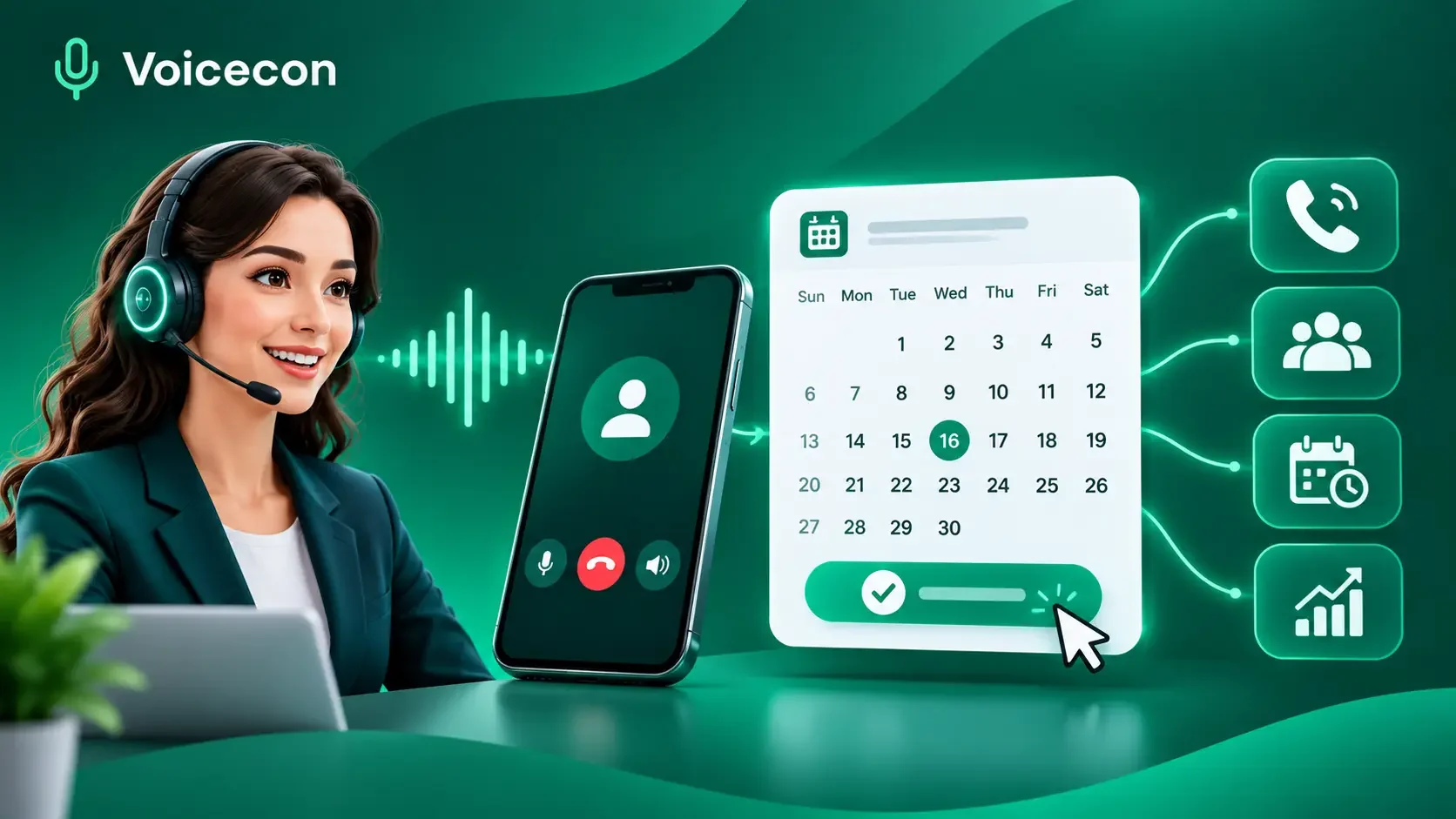
An AI appointment setter helps businesses handle appointment-related calls, qualify leads, answer routine questions, and streamline scheduling without requiring a team member to manage every conversation manually. At Voicecon, we help businesses build AI voice agents that connect conversations with practical business actions, including appointment booking, CRM updates, and automated workflows.
For companies that depend on incoming enquiries, sales calls, consultations, or service bookings, the challenge is not always generating leads. It is making sure those leads receive timely attention and can move smoothly from an initial conversation to a confirmed appointment.
An AI appointment setter can help bridge that gap. When configured correctly, it can speak with callers, collect relevant information, check available appointment times through an integrated calendar, and trigger the appropriate follow-up actions.
In this guide, we explain how AI appointment setters work, where they provide value, what businesses should evaluate before choosing one, and how our Voicecon AI voice agents can help you put appointment-setting automation into practice.
What Is an AI Appointment Setter?
An AI appointment setter is a software-based assistant that uses conversational artificial intelligence to handle appointment-related interactions over the phone. Depending on its configuration, it can answer incoming calls, contact eligible leads, ask qualifying questions, respond to common enquiries, and help schedule meetings.
Unlike a traditional automated phone menu, a conversational AI appointment setter can interpret a caller's responses and adjust its next question accordingly. When connected to the appropriate tools, it can also check calendar availability and initiate actions in other business systems.
For example, a home services company might receive a call from someone requesting an estimate. The AI agent can collect the customer's location, understand the requested service, ask a few relevant questions, and help arrange an available consultation. The business receives a structured record of the interaction rather than an unanswered call or an incomplete message.
The exact capabilities depend on the agent's instructions, integrations, permissions, and workflow configuration.
How Does an AI Appointment Setter Work?
A typical AI appointment-setting workflow follows six steps.
Receive a call or lead: A prospective customer calls the business or enters the workflow through a supported lead-capture process.
Start the conversation: The AI introduces itself, establishes the caller's reason for contacting the business, and asks relevant questions.
Qualify the enquiry: It collects information such as the requested service, location, requirements, or preferred appointment window.
Check availability: When connected to a compatible calendar or scheduling system, the agent retrieves available appointment options.
Complete the next action: It books the selected time if the required integration supports that action, or guides the caller through an alternative booking process.
Record and follow up: The system can save call details, create a CRM record, trigger a notification, or initiate a configured confirmation workflow.
This distinction matters: a conversation that ends with a suggested appointment time is not necessarily a completed booking. Businesses should verify that the booking has actually been saved and that the customer receives accurate confirmation.
Key Benefits of an AI Appointment Setter
1. Handle More Calls Without Expanding Every Shift
Businesses cannot always have someone available to answer every call. Receptionists may be assisting other customers, sales representatives may be in meetings, and small teams may have limited coverage outside standard business hours.
An appropriately configured AI voice agent can answer supported calls whenever the service is available. It can collect information, address routine questions, and guide callers toward the next step.
This is especially useful for appointment-driven businesses where a missed call may mean a delayed enquiry or a customer contacting another provider.
2. Qualify Leads Before They Reach Your Team
Not every enquiry represents the same opportunity. A sales team may need to know a prospect's requirements, budget range, location, or expected timeline before arranging a consultation.
An AI appointment setter can ask these questions as part of a conversation and capture the answers for your team.
For example, a marketing agency could configure its agent to ask about the prospect's business type, current marketing challenges, and preferred consultation time. The sales representative can then review the information before the meeting.
Qualification criteria should remain relevant and proportionate. The objective is to help your team prioritize enquiries, not to create unnecessary barriers for potential customers.
3. Reduce Manual Scheduling and Follow-Up
Scheduling often involves several small administrative tasks: collecting contact details, checking a calendar, confirming a time, recording the enquiry, and notifying the relevant employee.
Voice AI can reduce this manual work when the agent has the necessary integrations and permissions.
With Voicecon, businesses can configure voice agents, connect supported scheduling and CRM tools, and use workflows to carry out follow-up actions. Available integrations include Google Calendar, Calendly, Cal.com, HubSpot, Pipedrive, and GoHighLevel.
This helps connect the phone conversation with the systems where the business manages its appointments and customer information.
4. Create More Consistent Call Records
A structured record of each interaction helps businesses understand what customers need and what should happen next.
Voicecon provides call recordings, transcripts, AI summaries, intent information, and analytics. These records can help a team review the conversation, identify unanswered questions, and improve its agent's instructions.
Businesses should establish appropriate access controls, retention practices, and customer privacy safeguards before using call recordings or transcripts in live workflows.
How Businesses Can Use an AI Appointment Setter
An AI appointment setter is most useful when its workflow reflects the business's actual customer journey.
Clinics, Salons, and Appointment-Based Services
Appointment-driven businesses often receive recurring enquiries about availability, services, opening hours, and scheduling.
A voice agent can collect a caller's preferred service and timing, answer approved routine questions, and help arrange an appointment through a configured scheduling integration.
For healthcare providers, the agent should follow the practice's privacy requirements and avoid making clinical judgments or offering medical advice beyond its authorized scope. Sensitive information should be collected only when necessary and through appropriate safeguards.
Sales Teams, Agencies, and Real Estate
Sales teams need to identify suitable prospects and move them toward meaningful conversations with a representative.
An AI appointment setter can collect lead details, ask qualification questions, and help arrange a sales consultation. It can also trigger a workflow that adds the enquiry to a CRM or alerts the appropriate team member.
For real estate agencies, for example, the agent might collect a prospective buyer's preferred area, property requirements, and availability for a viewing. The agent should not promise a viewing until the relevant availability has been checked and the booking process completed.
Home Services and Local Businesses
Plumbers, electricians, cleaning companies, repair services, and other local businesses often need to gather a few essential details before scheduling a visit.
An AI agent can ask about the requested service, service address, urgency, and suitable appointment windows. It can then guide the customer toward the appropriate booking process.
If the request involves an emergency, an unavailable service, or a situation requiring professional judgment, the workflow should route the caller to a human or an appropriate emergency channel.
What to Look for in AI Appointment Setter Software
Before choosing an AI appointment setter, evaluate the complete workflow rather than focusing only on the quality of the voice.
Capability | What to verify |
Conversational call handling | Can it understand natural responses, interruptions, and common variations in phrasing? |
Business knowledge | Can it answer from approved information instead of inventing policies or prices? |
Calendar integration | Can it retrieve actual availability and complete bookings through the connected system? |
Lead qualification | Can you define relevant questions and capture the answers consistently? |
CRM integration | Can it record the enquiry and update the appropriate contact or lead record? |
Human handoff | Can it transfer or escalate a call when the request exceeds its capabilities? |
Reporting | Can you review call outcomes, recordings, transcripts, and costs? |
Privacy and compliance | Can the setup meet applicable consent, recording, data-handling, and calling requirements? |
Why Workflow Integration Matters
A voice agent that answers questions but cannot complete the next action may leave your team with the same administrative work it had before.
A more useful system connects the conversation to an actual business process. That may mean booking a meeting, recording a qualified lead, notifying a sales representative, or transferring a caller to the right person.
Voicecon combines configurable AI voice agents with knowledge bases, in-call tools, integrations, and no-code workflows. Businesses can start with a suitable template, test their agent, and refine the setup as they learn from real call scenarios.
AI Appointment Setter vs. Human Appointment Setter
AI and human appointment setters serve overlapping but different purposes. The best choice depends on the complexity of your calls, the level of personal judgment required, and the volume of repetitive work.
Consideration | AI appointment setter | Human appointment setter |
Routine calls | Can automate configured conversations | Handles conversations directly |
Availability | Can provide coverage when the system is available | Depends on staffing and working hours |
Repetitive qualification | Can ask consistent configured questions | Can adapt questions using experience and judgment |
Complex negotiations | May need to escalate | Better suited to nuanced discussions |
Empathy and sensitive situations | Limited by its design and context | Can apply human judgment and emotional sensitivity |
Administrative records | Can automate configured updates | May require manual entry or separate tools |
Cost structure | Usually includes subscription, usage, and setup considerations | Includes wages, benefits, training, and management costs |
An AI appointment setter should not be treated as a universal replacement for a skilled sales or customer service professional. It is better understood as a way to automate suitable interactions and give employees more time for conversations that require human expertise.
A hybrid approach often makes sense: let the AI handle routine enquiries and scheduling, then route complex requests, complaints, and high-value conversations to the appropriate team member.
How to Measure AI Appointment Setter ROI
The value of an AI appointment setter should be measured through actual business outcomes, not simply the number of calls it handles.
Start by recording your existing performance. Measure the number of relevant enquiries, appointments booked, appointments attended, qualified opportunities, and staff hours spent on scheduling.
After introducing the agent, compare those measures over a consistent period while accounting for differences in lead volume and quality.
One useful calculation is:
Net incremental value = additional realized contribution + measurable labor savings − total AI system cost
Consider this illustrative example:
A business attributes 12 additional attended appointments per month to its AI appointment setter. If each appointment produces an average contribution of $100, the additional contribution is $1,200.
If the business also saves $300 in measurable administrative labor and spends $250 on the system and associated usage, the estimated incremental value is:
$1,200 + $300 − $250 = $1,250 per month.
These figures are illustrative, not Voicecon customer results or a forecast. They assume that the additional appointments are genuinely incremental and that the contribution and labor savings have been measured without double counting.
For a more complete assessment, track:
Booking completion rate: completed bookings divided by eligible appointment-setting interactions.
Attendance rate: attended appointments divided by booked appointments.
Qualification rate: enquiries meeting your criteria divided by enquiries assessed.
Human handoff rate: calls transferred to a person, including whether those transfers were appropriate.
Cost per attended appointment: relevant automation and operating costs divided by attended appointments attributable to the workflow.
Error rate: incorrect bookings, inaccurate answers, failed integrations, and other material problems.
These measures help you determine whether the agent is creating genuine business value rather than merely shifting work from one system to another.
How Voicecon Helps Businesses Get Started
At Voicecon, we provide a platform for building AI voice agents that connect phone conversations with business workflows.
Our platform supports configurable agent instructions, knowledge bases, call flows, in-call tools, integrations, call transcripts, and analytics. Depending on your configuration, you can use these capabilities to support appointment scheduling, lead qualification, customer support, and follow-up actions.
Getting started involves a few practical steps:
Define your appointment-setting process. Decide which calls the agent should handle, what information it needs to collect, and when a human should take over.
Configure the agent's knowledge. Add accurate business information, approved answers, service details, and relevant policies.
Connect the required tools. Set up the compatible calendar, CRM, phone number, and workflow integrations needed for your process.
Test realistic scenarios. Check normal bookings, unavailable times, ambiguous requests, rescheduling needs, and human handoffs.
Review performance before scaling. Examine transcripts, booking records, call outcomes, and costs. Refine the instructions and workflows when you identify problems.
Try the Voicecon AI Appointment Setter Free for 7 Days
We currently offer a seven-day free trial so you can explore Voicecon and test an AI voice agent before committing to a paid plan. Our published trial includes one agent, one knowledge base, two workflows, and up to two team members, with 30 call minutes included and no credit card required.
You can use the trial to build a working agent, test conversations, and evaluate whether its workflow suits your business. The published trial does not include purchasing a phone number; connecting a live phone number may require a paid plan.
Rather than judging the system from a short demonstration alone, use the trial to test the specific calls, scheduling requirements, and customer scenarios that matter to your team.
Start your seven-day free trial at Voicecon.ai and explore how AI voice agents can help your business manage appointment-related calls more efficiently.
Frequently Asked Questions
What is the main purpose of an AI appointment setter?
Its main purpose is to automate suitable parts of appointment setting, including answering calls, qualifying enquiries, checking availability, arranging meetings, and recording relevant information. Its actual capabilities depend on the integrations and workflows configured for the business.
Can an AI appointment setter book appointments directly?
Yes, when the agent is connected to a scheduling system that supports the required booking action and has the appropriate permissions. Businesses should verify that the appointment is saved successfully before confirming it to the customer.
Can an AI appointment setter work with a CRM?
Yes. A compatible setup can record lead details, save call outcomes, and trigger CRM updates. Voicecon supports integrations including HubSpot, Pipedrive, and GoHighLevel, with additional automation options available through its integration and workflow capabilities.
Is an AI appointment setter suitable for small businesses?
It can be particularly useful for small businesses that receive recurring appointment enquiries but cannot dedicate a staff member to every call. Suitability depends on call volume, integration requirements, the cost of the system, and the complexity of the business's booking process.
Can AI appointment setters replace human sales teams?
They can automate some repetitive tasks, but they are not a universal replacement for human sales professionals. Negotiations, sensitive conversations, complex questions, and relationship-building often benefit from human involvement.
How much does an AI appointment setter cost?
Costs vary by platform, usage, integrations, and the number of calls or agents required. Compare the subscription, included call minutes, additional usage charges, phone-number costs, and implementation effort against the value the workflow is expected to deliver. Check the current Voicecon pricing page for applicable plan details.
How can I test an AI appointment setter before deployment?
Start with a defined use case and a small set of realistic test scenarios. Verify that the agent answers accurately, handles unavailable appointments properly, records outcomes, and transfers calls when necessary. Voicecon's seven-day free trial provides an opportunity to build and test an agent before committing to a paid plan.
Final Thoughts
An AI appointment setter can help businesses turn more appointment-related conversations into organized, measurable workflows. Its value comes from doing more than speaking: it needs accurate information, reliable integrations, clear qualification criteria, appropriate escalation rules, and a way to verify the outcome of each interaction.
At Voicecon, we help businesses connect AI voice agents with the tools and workflows they already use. If your team spends significant time answering routine calls, qualifying leads, or coordinating appointments, our seven-day free trial gives you an opportunity to test the approach against your actual business requirements.
Start with one practical use case, test it carefully, and measure the results before expanding automation across your business.
Keep reading
All articles → Guides
12 min read
How Do AI Receptionists Work? A Complete Business Guide
Discover how AI receptionists work, from speech recognition and conversational AI to appointment booking, lead capture, integrations, and human handoffs.
Azfar hussain Guides
14 min read
AI Call Bot: How Businesses Can Automate Calls and Improve Customer Service
Find how an AI call bot can answer business calls, qualify leads, book appointments, and automate workflows. Try Voicecon free for 7 days.
Azfar hussain Guides
12 min read
AI Phone Call Assistant: How Businesses Can Automate Calls with Voicecon
Discover how an AI phone call assistant can answer enquiries, qualify leads, book appointments, and automate business workflows with Voicecon.
Azfar hussain