AI Receptionist Software
Discover how AI receptionist software like Voicecon answers calls, qualifies leads, books appointments, updates CRMs, and automates follow-up.
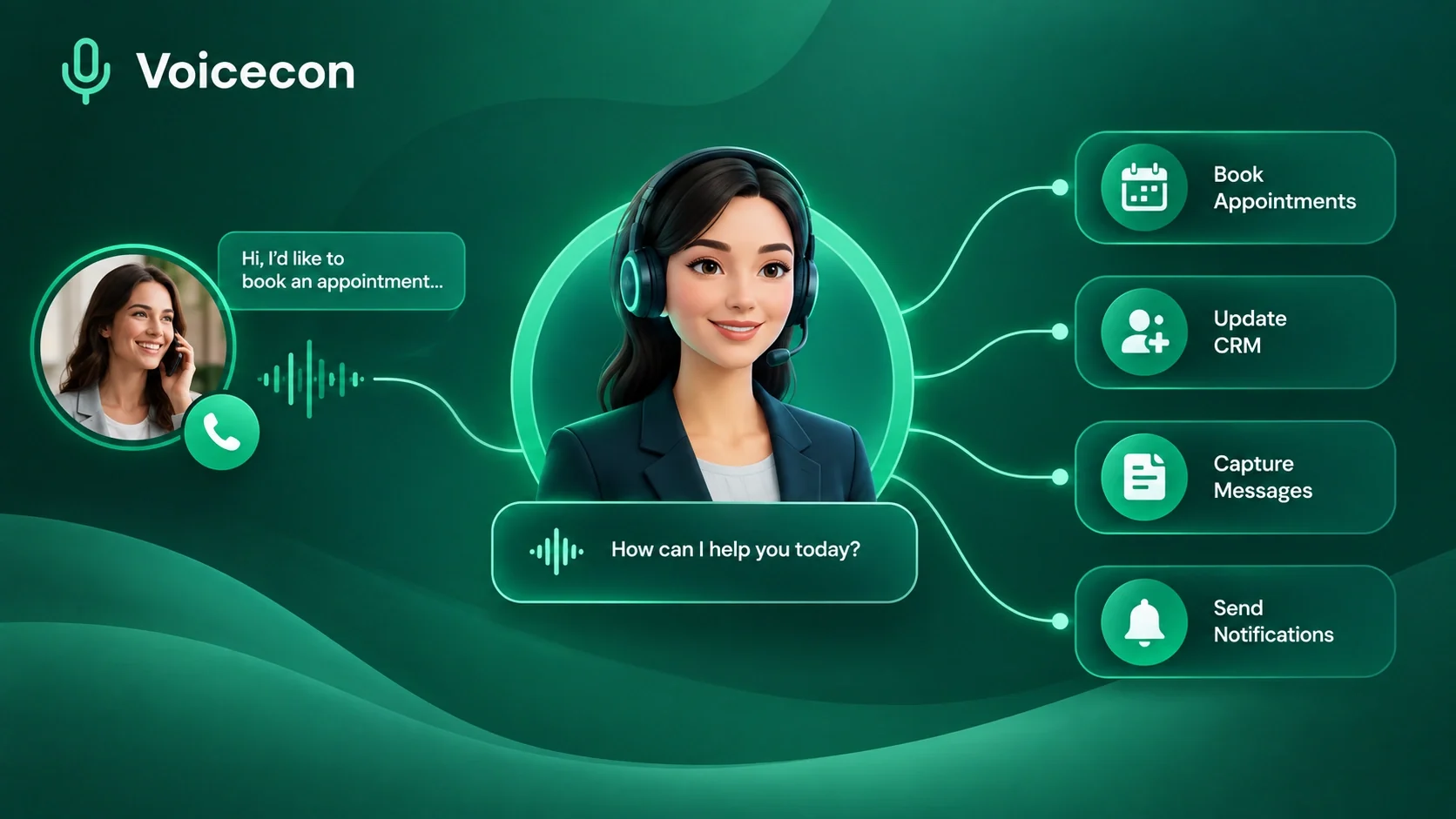
AI receptionist software is a system that uses artificial intelligence to answer business phone calls, understand what callers need, respond naturally, and perform tasks that would traditionally require a human receptionist.
That definition sounds straightforward, but the technology has moved well beyond the old idea of an automated phone menu.
Think about what happens when a potential customer calls a business after hours. Maybe they want to book an appointment. Maybe they have a question about pricing. Maybe they are calling because they found the company through Google and want an answer immediately.
If nobody answers, the opportunity is already at risk.
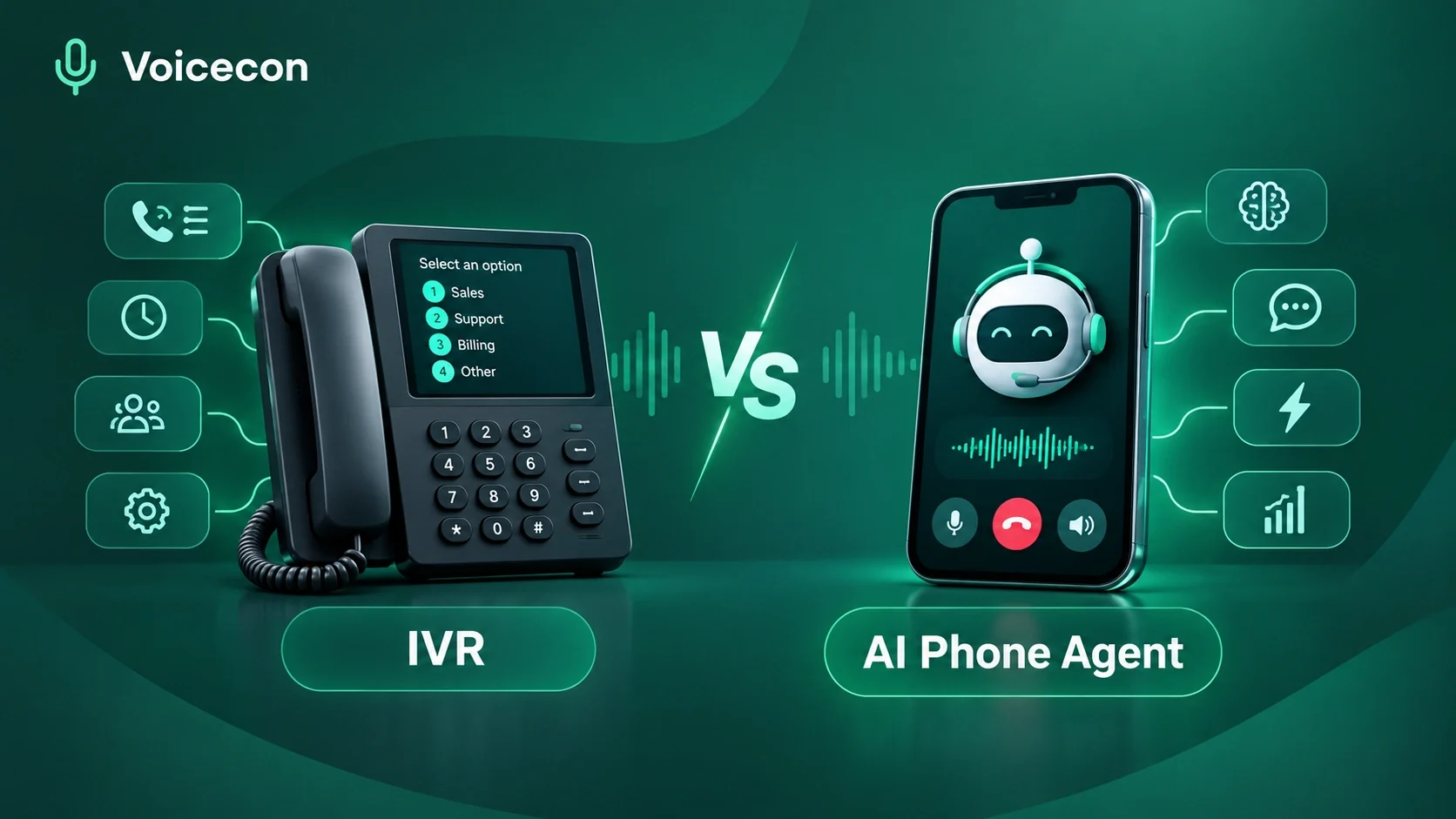
Traditional voicemail simply records the message. A basic IVR asks callers to "press 1 for sales" or "press 2 for support." Neither approach actually understands the conversation.
Modern AI receptionist software takes a different approach. The caller can speak naturally, ask a question, change direction, interrupt the agent, and explain what they want without navigating a rigid menu. The AI can then use business information and connected tools to respond and take action.
That distinction is particularly important for small businesses.
A dental clinic, home-service company, real estate agency, law firm, salon, restaurant, SaaS company, or marketing agency may receive calls while employees are already serving customers. The problem isn't necessarily a lack of demand. It is that the business cannot have someone available for every phone call.
Voicecon is designed around this exact problem. Our agents can speak with callers in real time, use information supplied through a knowledge base, and connect conversations to business systems so the call can lead to a concrete result rather than simply ending with a transcript.
AI receptionist vs. traditional receptionist
It is important not to frame AI as a perfect replacement for every human receptionist. That would be unrealistic.
Instead, the strongest use case is to let AI handle repetitive, high-volume, predictable conversations while human employees focus on situations requiring judgment, empathy, negotiation, or specialized expertise.
Capability | Traditional voicemail | Basic IVR | AI receptionist |
Answers after hours | No | Yes | Yes |
Understands natural conversation | No | Limited | Yes |
Answers from business documents | No | No | Yes |
Qualifies leads | No | Limited | Yes |
Books appointments | No | Sometimes | Yes |
Updates CRM | No | Rarely | Yes |
Transfers to humans | No | Yes | Yes |
Automates post-call tasks | No | Limited | Yes |
Provides transcripts and summaries | No | No | Yes |
Voicecon, for example, combines real-time speech recognition, language-model reasoning, and natural voice generation. Its platform identifies Deepgram for speech recognition, OpenAI or Anthropic for reasoning, and ElevenLabs for voice generation.
The result is closer to having a conversational front desk than simply installing another chatbot.
And that matters because the value of an AI receptionist isn't how human the voice sounds; it is what happens because the call was answered.
A good system should help the business capture the lead, answer the question, schedule the appointment, update the relevant system, or escalate the conversation when a human needs to step in.
That is where AI receptionist software starts becoming an operational tool rather than a novelty.
How Does Voicecon Work as an AI Receptionist?
Voicecon approaches AI reception differently by combining the conversation layer with the action layer.
The distinction is simple:
Voice-to-voice handles the conversation. Voice-to-action handles the work.
During a call, the agent can listen and respond in real time. It can also use configured tools to perform actions while the conversation is happening. Afterward, workflows can continue processing the call and sending information into the systems the business already uses.
This is important because businesses rarely need an AI receptionist merely to talk.
They need it to do something.
Imagine a landscaping company receives a call from someone asking for an estimate. An effective AI receptionist could collect the customer's name, location, type of project, approximate property size, preferred service date, and other qualifying information.
The conversation doesn't need to end with:
"Thank you. Someone will get back to you."
Instead, the system can pass the qualified lead into the company's CRM and notify the sales team.
That is a much more useful outcome.
The four-stage process
Voicecon's workflow can be understood through four practical stages.
First, create the agent.
The business defines how the receptionist should behave, chooses its voice and sets its opening message. Businesses can start with a template or build an agent from scratch.
Second, provide knowledge and tools.
This is where the agent becomes specific to the business.
Instead of expecting a generic AI model to know every detail about a company, the business can provide documents such as policies, FAQs and pricing information. Voicecon's knowledge base supports formats including PDF, Word, spreadsheets, CSV, JSON, Markdown and plain text.
Third, connect the phone number.
The agent can be tested in a browser before being deployed. A business can then purchase a number or connect its own Twilio or Telnyx account.
Fourth, automate and improve.
Once calls begin coming in, businesses can use transcripts, summaries and analytics to identify problems and improve the agent's instructions. Workflows can also be triggered after calls to handle follow-up tasks automatically.
This last step is where many AI projects either succeed or fail.
Launching an AI receptionist isn't the finish line. The best results come from reviewing real conversations, identifying where callers get confused, tightening the prompts, improving the knowledge base and measuring whether calls actually produce useful business outcomes.
A realistic example
Consider a small medical clinic.
A patient calls at 7:30 p.m. The receptionist has already gone home.
Instead of reaching voicemail, the caller can interact with an AI agent that has access to the clinic's approved information. The agent can answer routine questions, identify the reason for the call and, where configured, check available appointment slots.
Voicecon's appointment-booking use case allows an agent to check available Google Calendar slots, offer available times and confirm the selected appointment. A workflow can then send a confirmation through Twilio and notify a team channel.
That is fundamentally different from simply answering the phone.
The AI receptionist has become the first step in an automated business process.
What Features Should You Look for in AI Receptionist Software?
Not every product marketed as an "AI receptionist" provides the same level of functionality.
Some tools are essentially voice chatbots. Others are designed to connect phone conversations with CRM systems, calendars, messaging platforms and internal workflows.
If you are evaluating AI receptionist software for a real business, I would look beyond the voice quality.
A convincing voice is nice.
Reliable execution is what pays the bills.
Here are the features that deserve the most attention.
Natural real-time conversations
The agent should be able to handle interruptions and conversational changes without forcing the caller through a script.
Voicecon describes its voice agents as capable of handling interruptions, maintaining context and responding naturally during a call.
Business-specific knowledge
A receptionist needs to know your business, not just general information.
Voicecon's knowledge base allows businesses to upload their own documents and connect them to agents. This can include policies, FAQs, pricing information and other operational material.
Visual call flows
Not every conversation should be completely open-ended.
A visual call-flow builder allows businesses to define specific paths: greet the caller, ask a question, branch according to the answer, transfer the call or end it.
Voicecon provides a visual canvas for these conversation structures.
Live call tools
The agent should be able to take action while the caller is still on the phone.
Voicecon supports actions such as transferring calls, sending SMS messages, using keypad tones, leaving voicemails, querying a knowledge base and running workflows.
CRM and calendar integration
This is one of the biggest differences between a useful AI receptionist and an expensive experiment.
If a qualified lead has to be manually copied from a transcript into a CRM, the automation is incomplete.
Voicecon connects with platforms including HubSpot, Salesforce, Pipedrive, GoHighLevel, Google Calendar, Calendly and Cal.com.
Post-call automation
The conversation shouldn't disappear when the caller hangs up.
Voicecon can trigger workflows after a completed call. Those workflows can post summaries, create CRM records, send information to team members or route data to other systems.
Recordings, transcripts and analytics
Businesses need to know what their AI receptionist is actually doing.
Voicecon stores call recordings and transcripts and provides AI-generated summaries, sentiment, intent and cost information. Its analytics include total calls, average duration, success rate and cost.
These features are particularly useful during the first few weeks of deployment.
You might discover that customers repeatedly ask a question that isn't covered in the knowledge base. Or perhaps the agent asks for too much information before booking an appointment. Maybe callers frequently request a human.
Those aren't failures.
They're optimization signals.
Team and API capabilities
For larger organizations, team permissions and API access can become important.
Voicecon supports different workspace roles, multiple workspaces and scoped API keys. Its platform also allows workflows to communicate with external systems through webhooks and HTTP requests.
That gives developers room to connect the receptionist to systems that aren't available as a one-click integration.
Who Can Benefit Most From AI Receptionist Software?
The obvious answer is "any business that receives phone calls."
But that's too broad to be useful.
The strongest candidates have one or more of these characteristics:
They receive calls outside normal business hours.
Employees frequently miss calls while serving customers.
A significant percentage of calls are repetitive.
Phone leads are valuable.
Appointments or consultations are booked by phone.
Staff spend substantial time qualifying callers.
Call information must eventually enter a CRM.
Customers expect quick responses.
The business wants to scale without adding another full-time phone role.
Home-service companies
HVAC companies, plumbers, electricians, landscapers, roofers and contractors are particularly interesting use cases.
A technician cannot always stop working to answer the phone. Yet the person calling may be ready to book a service.
An AI receptionist can answer the call, collect relevant information and route qualified opportunities to the team.
Healthcare practices
Clinics, dental practices and other appointment-based organizations can use AI receptionists for routine scheduling and administrative conversations.
However, healthcare is also an area where businesses need to be careful. AI should not be allowed to improvise medical advice simply because a caller asks a medical question.
Voicecon itself states that AI outputs can be inaccurate and that important outputs should be reviewed, particularly where health, financial or safety decisions are involved.
For healthcare deployments, the safest approach is to keep the AI's role tightly defined around approved administrative information and appropriate escalation procedures.
Real estate businesses
Real estate agents and teams can lose leads simply because they were showing a property when someone called.
An AI receptionist can collect a prospect's name, location preferences, property requirements, budget and other qualifying information before passing the opportunity to the sales team.
Voicecon specifically lists lead qualification for sales teams, agencies and real estate businesses among its use cases.
Salons and appointment-based businesses
For salons, clinics, home services and similar businesses, appointment booking is a natural fit.
Instead of forcing customers to wait for a callback, the agent can check configured availability and book the appointment during the call.
E-commerce and restaurants
Customer calls often revolve around predictable questions:
"Where is my order?"
"What time do you close?"
"Can I change my delivery?"
"Do you have this item?"
An AI receptionist can retrieve relevant information and escalate cases that require human intervention.
Voicecon's order-status use case is designed around this type of interaction, including checking information through an API and logging the resulting call information for follow-up.
The common thread is not industry.
It is repeatable conversations connected to measurable business outcomes.
Is Voicecon Better Than a Basic Automated Phone System?
For businesses considering AI receptionist software, this is the comparison that matters.
Traditional automated phone systems aren't useless. They have been doing their job for decades.
If your callers only need to select from a handful of fixed options, a conventional IVR may be perfectly adequate.
But the moment conversations become less predictable, the limitations become obvious.
Imagine calling a company and saying:
"Hi, I need to move my appointment from Thursday to next week, preferably sometime after three, but I can't do Friday."
A rigid IVR struggles with that.
A conversational AI receptionist can understand the request, check the configured scheduling system and continue the conversation.
That's the fundamental difference.
IVR is menu-driven. AI is conversation-driven.
An IVR expects the caller to adapt to the system.
A well-designed AI receptionist attempts to adapt to the caller.
Voicecon's platform combines conversational voice agents with visual flows, knowledge bases, live tools and workflows.
That means businesses don't have to choose between a completely scripted experience and an uncontrolled AI conversation.
They can combine both.
For example:
Greeting → Identify intent → Ask qualifying questions → Branch → Take action → Transfer if necessary → Trigger follow-up
This structure gives the business control while still allowing callers to speak naturally.
The bigger advantage: AI can connect conversation to operations
Suppose a customer calls a home-service company.
The AI identifies the caller as a new lead.
It asks the required qualification questions.
It records the answers.
It schedules an appointment.
It creates or updates the CRM record.
It sends a confirmation.
The employee may only need to handle the actual service appointment.
That is where AI receptionist software creates leverage.
Voicecon's workflow system supports call-completed triggers, scheduled workflows, webhooks and manual triggers, allowing conversations to become inputs for broader business automation.
And this is ultimately how I would evaluate any AI receptionist platform:
Don't ask only, "Does it sound human?" Ask, "What happens after the customer says yes?"
If the answer is "someone has to manually do everything," the automation is only half-built.
If the answer is "the right system gets updated, the appointment gets booked, the team gets notified and the customer receives the follow-up," then you have something much more valuable.
That is the direction Voicecon takes with its combination of AI voice agents and no-code workflows.
What Can an AI Receptionist Actually Do During a Phone Call?
The real test of AI receptionist software begins once the phone starts ringing.
A business owner doesn't need another dashboard full of impressive features. They need the phone answered, the caller understood, and the right action taken without creating more work for the team.
That is why Voicecon's approach is built around voice-to-action, not voice conversation alone.
During a live call, an agent can transfer the caller, use keypad tones, leave a voicemail, query its knowledge base, or run a workflow. This means the AI can interact with the business process while the conversation is still happening.
Consider a simple lead-generation scenario.
Someone calls a roofing company after finding its website through Google. The caller wants to know whether the company serves their area and whether they can get an estimate.
Instead of asking the caller to leave a message, the AI receptionist can follow a defined qualification process:
Identify the caller and reason for the call.
Ask for the service address.
Determine what type of roofing work is needed.
Collect other qualification information.
Answer approved questions using the company's knowledge base.
Schedule the next step when appropriate.
Transfer the caller if a human needs to become involved.
Trigger a follow-up workflow when the call ends.
That final step is easy to overlook.
The phone conversation itself is only one piece of the process. The information gathered during that conversation needs to reach the people and systems responsible for turning the opportunity into revenue.
Voicecon supports workflows that can begin when a call is completed, as well as scheduled, webhook and manual triggers.
This gives businesses considerably more flexibility than a traditional answering service.
The AI receptionist can also know when to stop
A professional receptionist doesn't try to solve every problem personally. They know when to transfer a caller.
An AI receptionist should behave the same way.
If the caller requests a person, has a problem outside the agent's defined knowledge, or reaches a situation that requires human judgment, the system should have an escalation path.
That is particularly important for sensitive industries.
The goal isn't to create an AI that refuses to involve employees. The goal is to make sure employees spend their time on conversations that genuinely require them.
How Voicecon's Knowledge Base Makes an AI Receptionist More Useful
One of the biggest problems with generic AI is that knowing general information isn't the same as knowing how a particular business operates.
A customer doesn't want a generic answer about appointment scheduling.
They want to know your cancellation policy.
They don't want an explanation of what a plumbing service normally costs.
They want to know what your company charges.
That is where a business-specific knowledge base becomes important.
Voicecon allows businesses to upload PDFs, Word documents, spreadsheets, CSV files, JSON, Markdown and plain text into its knowledge base. Agents can search this information when responding to callers.
What should you put into an AI receptionist knowledge base?
The answer depends on the business, but useful information can include:
Frequently asked questions
Service descriptions
Pricing information
Business hours
Service areas
Appointment policies
Cancellation policies
Return policies
Shipping information
Company policies
Product information
Staff or department information
Contact and escalation instructions
The quality of these documents matters.
If your internal information is outdated, contradictory or poorly organized, the AI receptionist has a difficult job.
For example, imagine your website says appointments are available Monday through Friday, while an old PDF says Saturday appointments are available. If the agent has access to conflicting information, the problem isn't necessarily the AI model. The underlying business data needs to be cleaned up.
This is one reason implementing AI receptionist software should be treated as an operational project rather than simply a technology purchase.
Keep the knowledge base focused
More information isn't automatically better.
A receptionist doesn't need access to every document your company has ever created.
Give the agent the information required to perform its role.
A scheduling agent might need:
Service availability
Appointment duration
Business hours
Location
Cancellation rules
Booking requirements
It probably doesn't need access to an employee handbook.
A sales qualification agent may need:
Service packages
Target locations
Qualification criteria
Pricing ranges
Sales FAQs
Contact escalation rules
This focused approach makes the AI easier to manage and easier to improve.
The practical principle is simple:
Give the AI enough information to do its job well, but don't confuse its role by giving it everything.
How AI Receptionist Software Can Automate Lead Qualification
Lead qualification is one of the strongest applications for an AI receptionist because phone conversations naturally allow businesses to ask questions before passing prospects to a salesperson.
Imagine a digital marketing agency receiving 50 inbound calls every week.
Not every caller is equally valuable.
Some may be looking for services the agency doesn't provide. Others may have budgets below the company's minimum. Some may simply want information. A smaller percentage may be highly qualified prospects who are ready to schedule a consultation.
A human salesperson can spend a significant amount of time sorting these conversations.
An AI receptionist can handle the first layer.
Voicecon's lead qualification use case is designed for sales teams, agencies and real estate businesses. The agent can answer inbound calls, ask qualifying questions and capture information such as the caller's name, need and budget. The resulting information can then be sent to HubSpot, Pipedrive or GoHighLevel.
Why this matters for sales teams
The value isn't simply saving a few minutes per call.
The bigger benefit is consistency.
A human employee may ask different questions depending on the day, workload or experience level. A properly configured AI agent follows the qualification process consistently.
For example:
Caller: "I'm interested in SEO."
AI receptionist: "Absolutely. I can help with that. What type of business do you operate?"
Caller: "We run three roofing companies."
AI receptionist: "Thanks. Which locations do you serve?"
The agent can continue collecting the information the business has defined as important.
Afterward, the sales team doesn't receive a vague message saying:
"Someone called about SEO."
They can receive a structured lead containing the information needed for the next conversation.
But qualification shouldn't become an interrogation
This is where experience matters.
If the AI asks 15 questions before giving the caller anything useful, people will become frustrated.
The conversation should feel purposeful.
Ask what is genuinely necessary. Answer reasonable questions along the way. Don't force the caller through a form disguised as a conversation.
That balance is one of the areas businesses should monitor through call recordings, transcripts and analytics after deployment.
Voicecon provides recordings, transcripts, AI summaries, sentiment and intent information, along with metrics such as call volume, duration, success rate and cost.
Those insights can reveal whether the qualification flow is actually working.
Can Voicecon Book Appointments Automatically?
Yes. Appointment scheduling is one of the clearest practical applications for an AI receptionist.
For appointment-driven businesses, the phone call often follows a predictable pattern:
Customer calls → explains what they need → asks about availability → chooses a time → receives confirmation.
There is no reason for a staff member to manually perform every step if the process can be safely automated.
Voicecon's appointment-booking workflow can connect an agent with Google Calendar. The agent can find available slots, offer real times to the caller and confirm the selected appointment. Afterward, a workflow can send a confirmation through Twilio and notify a team through Slack.
That creates a much smoother experience for both sides.
A practical example: a salon
Imagine a salon receives a call at 9:30 p.m.
The customer wants a haircut tomorrow afternoon.
Without an AI receptionist, the caller may have to:
Leave a voicemail.
Wait until morning.
Receive a callback.
Explain the request again.
Wait while someone checks the calendar.
Confirm the appointment.
With an appropriately configured AI receptionist, the conversation can potentially happen in one interaction.
The agent checks the configured calendar, provides available options and confirms the caller's choice.
That is not just a convenience feature.
It reduces the number of steps between intent and conversion.
The same principle applies to other industries
A home-service business can schedule an estimate.
A consultant can book a discovery call.
A clinic can schedule an administrative appointment.
A property manager can arrange a viewing.
A repair company can schedule a service visit.
The exact workflow changes, but the underlying idea stays the same.
When the caller is ready to take the next step, the system should make that step easy.
How Much Does Voicecon AI Receptionist Software Cost?
Pricing is one of the first things businesses should examine because the cheapest monthly plan isn't necessarily the cheapest solution.
You need to consider call volume, concurrent calls, number of agents, integrations, workflows and whether your business needs outbound calling or advanced automation.
Voicecon currently offers several plans, including Starter, Growth, Scale, Agency, Pay As You Go and Enterprise options.
Plan | Monthly price | Included call minutes | Best suited for |
Free Trial | $0 for 7 days | 30 | Testing the platform |
Pay As You Go | $0 monthly | $0.35/min | Variable or low usage |
Starter | $59 | 200 | Solo businesses |
Growth | $179 | 750 | Growing phone-heavy businesses |
Scale | $349 | 2,000 | Higher-volume sales teams |
Agency | $499 | 3,000 | Agencies and resellers |
Enterprise | Custom | Custom | High-volume/regulated businesses |
The Starter plan includes one AI agent, one phone number, three workflows, one knowledge base and 200 monthly call minutes, with additional minutes charged at $0.30 per minute.
The Growth plan increases capacity to three AI agents, two phone numbers, 15 workflows and 750 monthly minutes, with additional minutes priced at $0.25. It also adds outbound calls, human transfer, integrations, webhooks, custom tools and API access.
For larger teams, the Scale plan provides 10 AI agents, five phone numbers, unlimited workflows and 2,000 monthly minutes, while the Agency plan expands to unlimited agents and workflows, 20 phone numbers and 3,000 included minutes.
There is also a seven-day free trial with no credit card required. The trial includes 30 call minutes, one agent, one knowledge base and two workflows.
How should a business evaluate the cost?
Don't compare the subscription against the salary of a receptionist alone.
Compare it against the business value of answered calls.
Suppose a company receives 100 calls each month and normally misses 20 of them.
If only a few of those missed calls would have become paying customers, the lost revenue may already exceed the software cost.
That's why call conversion, appointment bookings, qualified leads and response time are more useful metrics than price alone.
A business should ask:
How many calls do we currently miss?
How many are outside business hours?
What is the average value of a qualified lead?
How many calls involve repetitive questions?
How much staff time goes into answering routine calls?
How many appointments could be booked automatically?
How much manual CRM entry could be eliminated?
Those numbers provide a much better basis for evaluating ROI.
What Should Businesses Look for When Choosing AI Receptionist Software?
Not every AI receptionist is built for the same job.
Some platforms are designed mainly to answer FAQs. Others focus on appointment booking, while more advanced systems combine voice conversations with workflows, integrations, CRM updates and human handoffs.
That difference matters.
A business should not choose AI receptionist software simply because the demo sounds natural. A convincing voice is useful, but it is only one part of the system.
The better question is:
Can the AI receptionist reliably complete the tasks my business actually needs?
Before choosing a platform, evaluate these areas.
1. Call quality and conversation handling
The agent needs to understand normal speech, interruptions, accents, incomplete sentences and callers who change direction during a conversation.
A perfect scripted interaction is not enough.
Test the system with realistic calls. Ask unexpected questions. Interrupt it. Give incomplete information. Ask it to repeat something. See how naturally it recovers.
This is where the difference between a polished demo and a useful business system becomes obvious.
2. Knowledge management
The AI should be able to work from accurate business information rather than relying entirely on general-purpose model knowledge.
Look at how easily you can update FAQs, policies, service information and other operational data.
More importantly, determine how the platform behaves when the answer isn't available.
A good receptionist should be comfortable saying that it doesn't have the information and escalating the caller when necessary.
3. Human transfer
Human handoff is essential.
There will always be calls that require judgment, negotiation, empathy or access to information the AI shouldn't handle.
Check whether the system can transfer calls to the appropriate person and whether your team can define when those transfers should happen.
4. Integrations and workflows
This is one of the most important areas to evaluate.
If the AI receptionist answers the phone but your employees still have to manually copy every detail into a CRM, the automation is incomplete.
Look for integrations with the tools your company already uses, including calendars, CRMs, communication platforms and automation systems.
5. Analytics and call review
You need to know what happens after deployment.
Call recordings, transcripts, summaries, intent, sentiment, duration, volume and conversion-related metrics can help identify problems in the conversation flow.
Without this information, improving an AI receptionist becomes guesswork.
6. Scalability
Your requirements may change quickly.
A company handling 100 calls per month today might handle 1,000 calls after a successful marketing campaign.
Make sure the platform can accommodate additional agents, numbers, workflows and call volume without forcing you to rebuild the entire system.
AI Receptionist vs. Human Receptionist: Which One Is Better?
This isn't really an either-or decision.
The strongest setup for many businesses is a combination of AI and human staff.
An AI receptionist is particularly good at repetitive, structured and high-volume interactions.
A human receptionist is better suited to situations requiring judgment, emotional intelligence, negotiation or exceptions to normal business rules.
Think about the difference this way.
Task | AI Receptionist | Human Receptionist |
Answering repetitive questions | Excellent | Good |
Handling calls after hours | Excellent | Limited |
Appointment scheduling | Excellent | Excellent |
Lead qualification | Excellent | Excellent |
Complex complaints | Limited | Excellent |
Sensitive conversations | Limited | Excellent |
High call volume | Excellent | Limited by staffing |
Human judgment | Limited | Excellent |
Consistent scripts | Excellent | Variable |
Personal relationship building | Limited | Excellent |
The goal isn't necessarily to replace every employee.
It is to remove the repetitive workload that prevents employees from focusing on higher-value conversations.
For example, an AI receptionist can answer an inbound call, collect the basic information, check availability and determine why the person is calling.
If the caller needs to speak with someone, the AI can transfer the conversation.
The employee receives a much more prepared interaction instead of starting from zero.
That is a more realistic model of AI adoption than simply saying, "AI will replace the receptionist."
Where AI Receptionist Software Can Go Wrong
AI receptionist software can create real business value, but it can also create problems when it is deployed without proper planning.
The biggest mistake is assuming that installing the software is the same thing as implementing an automated receptionist.
It isn't.
The system needs a defined role, accurate information, clear escalation rules and ongoing monitoring.
Poorly designed conversation flows
If an agent asks unnecessary questions or forces every caller through the same script, the experience can quickly become frustrating.
A caller who simply wants your opening hours shouldn't have to answer five qualification questions first.
The conversation should adapt to the reason for the call.
Outdated information
If pricing, service areas, business hours or policies change, the AI's knowledge needs to be updated.
Otherwise, automation can simply make incorrect information available faster.
That is worse than sending a caller to voicemail.
No escalation strategy
An AI receptionist should never be designed around the assumption that it can handle everything.
There should be clear rules for situations that require a human.
For example:
The caller explicitly requests an employee.
The caller has a complaint.
The question falls outside the knowledge base.
The transaction requires human authorization.
The caller becomes frustrated.
The issue involves sensitive information.
The AI has insufficient confidence in the answer.
Automating a broken process
This is perhaps the most important lesson.
If your current appointment process is confusing, adding AI doesn't automatically fix it.
If your sales qualification process is poorly defined, an AI agent will simply follow a poorly defined process at scale.
Before automating something, understand how it should work.
Then build the AI around that process.
How to Implement an AI Receptionist Without Disrupting Your Business
The safest approach is to start with a narrow use case.
Don't attempt to automate every type of phone call on day one.
Start with a problem that is repetitive, measurable and relatively low risk.
For example:
Phase 1: Answer common questions
Train the agent to handle basic questions about services, hours, locations and policies.
Phase 2: Capture leads
Once the basic conversation works, add qualification questions and lead capture.
Phase 3: Schedule appointments
Connect the appropriate calendar and allow the agent to book defined appointment types.
Phase 4: Add integrations
Send information to your CRM, communication platform or other business systems.
Phase 5: Introduce human transfers
Create clear escalation rules for calls that require employees.
Phase 6: Optimize
Review transcripts and recordings. Identify where callers hesitate, repeat themselves, abandon conversations or request human assistance.
Then adjust the agent.
This staged approach reduces risk while giving the business measurable results at every step.
How to Measure Whether Your AI Receptionist Is Actually Working
Once an AI receptionist is live, don't judge it simply by how natural its voice sounds.
Measure business outcomes.
Some of the most useful metrics include:
Call answer rate: How many inbound calls are successfully answered?
Call completion rate: How many conversations reach an intended outcome?
Transfer rate: How often does the AI need human assistance?
Appointment rate: How many eligible callers actually book?
Lead qualification rate: How many calls produce usable sales opportunities?
Missed-call reduction: How many calls that previously went unanswered are now handled?
Average call duration: Are conversations becoming unnecessarily long?
Escalation reasons: Why are callers being transferred?
Customer sentiment: Are callers generally satisfied or frustrated?
Cost per handled call: What does each completed interaction cost?
These numbers should be compared with your previous baseline.
If your business previously missed 25% of inbound calls and the AI receptionist reduces that to 5%, that's a meaningful operational improvement.
If appointment bookings increase while staff workload decreases, the case becomes even stronger.
Which Businesses Benefit Most From AI Receptionist Software?
AI receptionists can work across many industries, but they are particularly useful where businesses receive frequent inbound calls and where those calls follow relatively predictable processes.
Home-service businesses
Roofers, plumbers, HVAC companies, electricians, landscapers, cleaners and contractors often receive calls while employees are already working in the field.
An AI receptionist can answer calls, identify the service required, collect the property address and potentially schedule an estimate.
Medical and professional practices
Clinics, dental practices, chiropractors and other professional offices receive many repetitive administrative calls.
An AI system can potentially handle approved administrative questions and appointment-related requests while escalating sensitive matters to staff.
These businesses need especially careful configuration because not every conversation should be automated.
Real estate
Real estate businesses are another strong use case.
A caller may want information about a property, request a viewing or ask to speak with an agent.
An AI receptionist can collect basic information, qualify the inquiry and schedule the next step.
Agencies and sales teams
Marketing agencies, software companies and professional service firms can use AI receptionists to qualify inbound prospects before sending them to sales representatives.
This can be particularly valuable when the company receives leads outside normal business hours.
Restaurants and hospitality
Restaurants receive repetitive questions about hours, reservations, locations, menus and availability.
Hotels and hospitality businesses also receive a high volume of routine inquiries.
The key is determining which interactions can be safely automated and which should remain human.
Is an AI Receptionist Worth It for a Small Business?
For a small business, the answer depends less on company size and more on the economics of missed calls.
A two-person company that receives only a handful of calls every week may not need sophisticated voice automation.
But a five-person home-service company receiving dozens of calls while employees are out on jobs may have a strong business case.
Consider a simple example.
A contractor receives 150 calls in a month.
Twenty-five calls are missed.
If even four of those missed callers would have generated a $2,000 job, the potential lost revenue is $8,000.
That doesn't mean an AI receptionist will automatically recover all four jobs.
But it illustrates why the right calculation isn't:
"How much does AI receptionist software cost?"
The better question is:
"How much revenue could our business be losing because nobody is available to answer the phone?"
That shift in perspective makes the technology much easier to evaluate.
What Makes Voicecon Different From a Basic AI Phone Answering Service?
The important distinction is what happens after the AI answers the call.
A basic answering service might take a message and send it to your team.
That can be useful, but it still leaves employees responsible for the next step.
Voicecon's broader approach is based on connecting the conversation to actions.
The agent can use a knowledge base, collect information, transfer calls, interact with workflows and connect with external systems.
That makes the phone call part of the business automation layer rather than an isolated communication channel.
For example:
Inbound call → AI conversation → qualification → CRM update → appointment booking → team notification
That is fundamentally different from:
Inbound call → voicemail → employee callback
The second process still depends heavily on human intervention.
The first can potentially move a qualified caller much closer to conversion before an employee ever joins the conversation.
That is where AI receptionist software becomes more interesting from a business perspective.
The Future of AI Receptionists Is Bigger Than Answering Phones
The term "AI receptionist" can make the technology sound narrower than it actually is.
The underlying system is becoming a conversational interface between customers and business processes.
Today, that may mean answering a phone call and booking an appointment.
Tomorrow, the same conversational agent may be able to coordinate information across several systems, qualify a customer, update records, trigger follow-up campaigns and route the conversation to the appropriate department.
The important development isn't simply that AI can talk.
AI can already talk.
The bigger development is that voice interfaces can increasingly take action.
That distinction will matter as businesses look for ways to reduce friction between customer intent and business execution.
Someone doesn't call because they want to talk to an AI.
They call because they want something.
They want an appointment.
They want a quote.
They want an answer.
They want to speak with someone.
They want to know whether a service is available.
The best AI receptionist systems are the ones designed around those outcomes rather than around the novelty of having an AI voice.
Final Verdict
If your business receives regular inbound calls and wants more than simple call answering, Voicecon is worth evaluating.
Its strongest proposition is not simply that an AI can speak naturally with customers. The more important capability is connecting those conversations to business actions through knowledge bases, workflows, integrations, appointment scheduling, lead qualification and human transfers.
That makes it particularly relevant for businesses where a missed call can mean a missed lead, appointment or sale.
However, the software should not be treated as a plug-and-play replacement for every receptionist.
The results depend heavily on implementation.
Businesses need accurate information, sensible conversation flows, clear escalation rules and ongoing monitoring. The AI should be given a specific role and enough context to perform that role reliably.
For a contractor, that might mean answering calls, qualifying roofing or landscaping leads and scheduling estimates.
For an agency, it might mean qualifying prospects and pushing structured lead information into a CRM.
For an appointment-based business, it might mean handling availability and booking calls without requiring an employee to check the calendar manually.
The technology is most valuable when it removes friction from a process that already works.
And that's ultimately the right way to think about an AI receptionist.
Don't buy it because it sounds impressive.
Buy it when you can identify a measurable business problem—missed calls, slow response times, repetitive questions, manual scheduling or inefficient lead qualification—and build the AI around solving that problem.
When implemented properly, an AI receptionist can become much more than an automated answering machine.
It can become the first operational layer between a customer calling your business and your business actually doing something about that call.