Difference Between Auto-Attendant and AI Receptionist: Which Is Better for Your Business
Find the difference between auto-attendant and AI receptionist systems. Compare features, benefits, call handling, and business automation with Voicecon.
 Azfar hussain15 min read
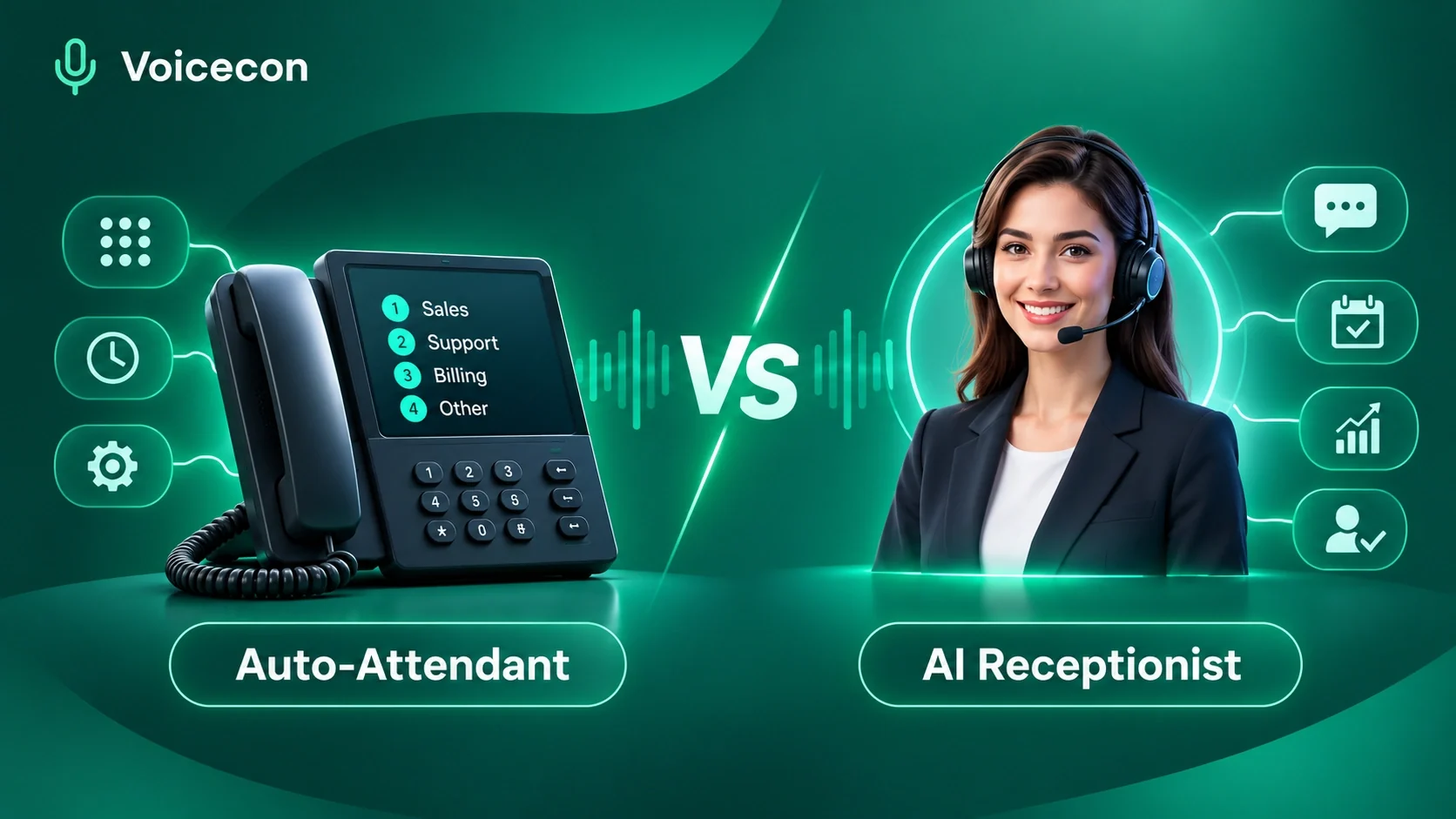
The difference between auto-attendant and AI receptionist technology comes down to how your business communicates with callers and what happens after someone picks up the phone. An auto-attendant follows predefined instructions to direct callers to the right department or extension, while an AI receptionist can understand natural conversations, answer business-related questions, collect customer information, schedule appointments, and perform other configured tasks.
For businesses that receive regular customer inquiries, choosing the right phone automation system can make a meaningful difference to customer experience and daily operations.
Traditional phone menus are useful for directing calls, but customers increasingly expect quick, straightforward answers without navigating several options. This is where an AI receptionist offers a more flexible approach.
At Voicecon, we help businesses move beyond basic call routing with intelligent AI voice agents that can answer calls, interact with customers, capture leads, and connect conversations with business workflows.
Let's explore how these technologies differ, when each makes sense, and how an AI receptionist can help your business handle incoming calls more effectively.
What Is an Auto-Attendant?
An auto-attendant is an automated telephone answering system that greets incoming callers and directs them to the appropriate department, employee, extension, or voicemail.
You have probably interacted with one before.
For example, when you call a company and hear:
"Thank you for calling our office. Press 1 for Sales, press 2 for Customer Support, or press 3 for Billing."
That is a traditional auto-attendant.
It uses predefined menus and routing instructions to help callers reach the right destination without requiring a receptionist to answer every call.
Microsoft's documentation on Teams Phone auto-attendants describes how businesses can configure greetings, menu options, and call destinations.
How Does a Traditional Auto-Attendant Work?
An auto-attendant generally follows a straightforward process:
A customer calls your business phone number.
The system plays a prerecorded or text-to-speech greeting.
The caller listens to the available menu options.
The caller presses a number or selects an available voice command.
The system transfers the call to the configured destination.
For example, a home improvement company might configure its phone menu as follows:
Press 1 for new project inquiries.
Press 2 for existing customers.
Press 3 for billing.
Press 4 to speak with an employee.
The system follows these instructions regardless of the caller's actual question.
Benefits of an Auto-Attendant
Traditional auto-attendants still offer several practical advantages.
Organized call routing: Businesses with multiple departments can direct callers without manually answering every call.
Simple configuration: Basic phone menus are generally straightforward to establish and maintain.
Consistent greetings: Every caller receives the same introductory message and routing instructions.
Lower operational complexity: Businesses with simple communication requirements may not need a more advanced conversational system.
Limitations of an Auto-Attendant
An auto-attendant is designed primarily to route calls, not resolve customer inquiries.
It may struggle when:
A caller has a question that does not match the available menu options.
A customer wants information about products or services.
Someone needs to schedule an appointment.
A caller wants to explain a complicated request.
The appropriate employee is unavailable.
A customer becomes frustrated navigating multiple menu options.
Although some modern phone systems offer speech-enabled IVR and AI-assisted routing, these capabilities should not automatically be confused with a complete AI receptionist.
What Is an AI Receptionist?
An AI receptionist is an intelligent voice-based system that answers business calls and communicates with callers using natural language.
Unlike a traditional phone menu, an AI receptionist can interpret what someone is asking, maintain conversational context, and respond according to its instructions, connected knowledge, and available tools.
Instead of forcing customers to press numbers, an AI receptionist allows them to explain what they need.
For example:
Customer: "Hi, I want to schedule an appointment for next week. Do you have anything available on Tuesday?"
AI receptionist: "Absolutely. I can help with that. What time would work best for you?"
The AI receptionist can then check an appropriately connected scheduling system, present available appointment times, and confirm the booking when configured to do so.
This makes the interaction more conversational and reduces the number of routine tasks that employees need to handle manually.
How Does an AI Receptionist Work?
An AI receptionist typically combines several technologies:
Automatic speech recognition: Converts the caller's spoken words into text.
Language models: Interpret the caller's request and determine an appropriate response.
Knowledge bases: Provide business-specific information, policies, services, and frequently asked questions.
Text-to-speech: Converts generated responses into spoken language.
Integrations and workflows: Allow the agent to interact with calendars, CRMs, messaging platforms, and other business applications.
The result is a voice interaction that can go beyond basic call forwarding.
What Can an AI Receptionist Do for Your Business?
Depending on its configuration and integrations, an AI receptionist can perform several valuable tasks.
1. Answer customer questions
An AI receptionist can answer common questions about business hours, services, pricing information, policies, and other details supplied by the business.
2. Capture new leads
It can ask prospective customers relevant questions, collect contact details, understand their requirements, and pass qualified inquiries to the sales team.
3. Schedule appointments
When connected to an appropriate calendar, it can check available appointment slots and book meetings based on configured business rules.
4. Transfer calls to employees
When a caller requests human assistance or needs support beyond the agent's scope, the AI receptionist can transfer the call according to established escalation rules.
5. Provide after-hours coverage
Businesses can configure an AI agent to answer calls outside regular office hours, including evenings and weekends.
6. Automate follow-up activities
Connected workflows can create CRM records, send notifications, organize call information, and trigger other business processes.
Difference Between Auto-Attendant and AI Receptionist: Key Differences
Although both systems automate incoming business calls, their capabilities and customer experiences are substantially different.
The most important distinction is that an auto-attendant primarily directs callers, while an AI receptionist can handle conversations and complete configured tasks.
Here is a practical comparison.
Feature | Traditional Auto-Attendant | AI Receptionist |
Communication | Recorded menus and predefined options | Natural-language conversations |
Customer questions | Limited to prerecorded information | Answers configured business questions |
Call routing | Yes | Yes, when configured |
Lead capture | Usually limited | Can collect and organize lead information |
Appointment booking | Not normally included | Possible with calendar integration |
Customer qualification | No conversational qualification | Can ask qualifying questions |
CRM integration | Depends on phone system | Available through supported integrations |
Follow-up automation | Limited | Can trigger connected workflows |
Contextual conversations | Very limited | Can maintain conversational context |
After-hours answering | Yes, mainly through routing | Can handle configured conversations |
Call reporting | Depends on phone system | Can provide transcripts, summaries, and analytics |
1. Difference Between Auto-Attendant and AI Receptionist in Customer Communication
The communication experience is one of the biggest differences.
A traditional auto-attendant presents a predefined set of options. Customers must choose from the available menu, even when their actual requirements do not fit neatly into one category.
An AI receptionist allows callers to describe their needs in their own words.
For instance, a customer calling a dental clinic might say:
"I need to reschedule my cleaning appointment, and I also want to know whether you accept new patients."
A traditional auto-attendant may direct this person to separate departments.
An appropriately configured AI receptionist can understand both requests, provide approved information, and assist with the scheduling process.
This makes communication more flexible and reduces unnecessary transfers.
2. Difference in Customer Support and Information Handling
An auto-attendant can announce basic information through prerecorded messages or direct callers to the appropriate department.
An AI receptionist can retrieve information from a connected knowledge base and use it to answer relevant customer questions.
For example, a home services company could provide its AI receptionist with information about:
Available services.
Service areas.
Business hours.
Appointment policies.
Frequently asked questions.
Pricing guidelines.
When a customer calls, the AI agent can use that information to respond without requiring an employee to answer every routine inquiry.
The quality of those answers depends on the accuracy and completeness of the supplied information. Businesses should regularly review their knowledge bases and test responses.
3. Difference in Appointment Scheduling and Lead Generation
This is particularly important for businesses that depend on incoming calls to generate revenue.
An auto-attendant can route a prospective customer to the sales or scheduling department.
An AI receptionist can potentially take the interaction further.
Consider a real estate agency receiving a call from someone interested in viewing a property.
A configured AI receptionist could:
Ask which property the caller wants to view.
Collect the caller's name and contact information.
Ask about their preferred viewing time.
Check available scheduling slots through an integration.
Confirm an appointment.
Send the information to the appropriate CRM or team.
Instead of simply directing the caller to another employee, the AI agent can help move the inquiry toward a meaningful business outcome.
4. Difference in Business Integrations and Workflow Automation
Traditional auto-attendants are primarily focused on telephone routing.
An AI receptionist can connect conversations with other business systems.
For example, when a new customer calls, an AI agent could capture their details and trigger a workflow that creates a CRM contact, sends a notification to the sales team, and records the call outcome.
This is particularly useful for companies that receive a high volume of inquiries and need consistent follow-up.
At Voicecon, we bring voice agents and no-code workflows together so businesses can connect conversations with their existing operational tools.
5. Difference in Availability and Scalability
Both traditional auto-attendants and AI receptionists can operate outside regular business hours.
However, their functions are different.
An auto-attendant can continue directing calls after employees leave the office, but it does not necessarily resolve the caller's question.
An AI receptionist can continue answering supported questions, collecting details, and completing configured workflows.
Depending on the platform's concurrency limits and configuration, an AI agent can also handle multiple calls simultaneously.
For growing businesses, this provides an opportunity to expand call coverage without increasing receptionist staffing at the same rate.
Auto-Attendant vs AI Receptionist: Which Is Better for Different Businesses?
There is no single solution that is right for every organization. The best choice depends on call volume, customer expectations, internal processes, and the complexity of incoming inquiries.
Small Businesses
A small business may receive calls about pricing, availability, services, and appointments throughout the day.
An auto-attendant can direct callers to the owner or the appropriate employee.
However, if the owner is attending meetings, working with customers, or away from the office, callers may have to leave a voicemail.
An AI receptionist can answer routine questions, collect contact details, qualify inquiries, and support appointment scheduling.
For small businesses that depend on inbound leads, this additional functionality can be valuable.
Healthcare and Appointment-Based Businesses
Clinics, dental offices, salons, and wellness businesses frequently receive appointment-related calls.
An AI receptionist can help manage routine appointment inquiries, check connected calendars, and capture relevant information.
However, businesses must establish appropriate privacy, security, and escalation requirements before automating sensitive patient or customer interactions.
Real Estate Agencies
Real estate businesses receive inquiries from prospective buyers, renters, property owners, and sellers.
An AI receptionist can collect information about the caller's requirements, identify the property of interest, and forward qualified leads to the appropriate agent.
This helps sales teams organize incoming opportunities and follow up more efficiently.
E-Commerce and Customer Support Businesses
Online businesses frequently receive questions about order status, shipping, returns, and product availability.
A connected AI voice agent can retrieve supported information from business systems and explain relevant policies.
If a customer reports a complicated problem, the agent should have a clear process for transferring the call or escalating the issue.
Can an AI Receptionist Replace an Auto-Attendant?
Yes, in some business environments an AI receptionist can perform the main tasks traditionally handled by an auto-attendant.
For example, it can greet callers, identify their needs, route calls, and provide information without relying exclusively on a fixed phone menu.
However, replacing an auto-attendant is not always necessary.
Businesses with multiple departments, locations, or specialized call-routing requirements may benefit from retaining a simple phone menu while using an AI receptionist for unanswered calls, after-hours coverage, or routine customer inquiries.
A combined approach can work particularly well:
Existing customers who know the appropriate department can use traditional routing.
New customers can speak naturally with an AI receptionist.
Unanswered calls can be directed to the AI agent.
Complex or sensitive requests can be transferred to employees.
The goal should not be to automate every interaction. It should be to create a phone experience that helps customers reach the right solution with less friction.
How to Choose the Right AI Receptionist for Your Business
If you are considering moving from a traditional auto-attendant to an AI receptionist, evaluate the technology carefully.
Here are some important factors to consider.
1. Natural conversational ability
The system should understand ordinary customer language, handle follow-up questions, and maintain context instead of relying entirely on fixed scripts.
2. Business-specific knowledge
Look for a solution that allows you to supply your own service details, FAQs, policies, and operational information.
3. Appointment scheduling
If your business depends on bookings, make sure the platform supports the calendar integration and scheduling rules you actually need.
4. CRM and third-party integrations
Your AI receptionist should connect with the tools your business already uses. This helps reduce manual data entry and improves follow-up.
5. Human call transfers
There should be a clear way to escalate complicated inquiries, urgent situations, or requests that require human judgment.
6. Call recordings and reporting
Call transcripts, summaries, and analytics can help you identify common customer questions, unsuccessful interactions, and opportunities to improve the agent.
7. Testing before deployment
Always test the system with realistic customer scenarios before relying on it for live business calls.
Pay attention to how it handles unclear requests, unexpected questions, interruptions, and integration failures.
How Voicecon Helps Businesses Move Beyond Traditional Auto-Attendants
At Voicecon, we believe business phone automation should do more than answer a call and transfer it somewhere else.
Our AI voice agents are designed to help businesses manage customer conversations and connect those conversations with practical business actions.
Instead of relying only on traditional phone menus, businesses can configure an AI receptionist around their services, communication requirements, and operational workflows.
Here is how we help.
Intelligent AI Voice Conversations
Our voice agents communicate with callers in real time, understand their requests, and respond using the configured business knowledge and instructions.
This gives customers a more conversational alternative to navigating fixed phone menus.
Business Knowledge Base
You can provide your AI agent with company information, service descriptions, policies, FAQs, and other relevant documents.
The agent uses connected knowledge sources to answer supported customer questions.
Appointment Booking and Lead Qualification
For businesses that rely on appointments and inbound leads, our agents can collect information, ask qualifying questions, and work with supported scheduling integrations.
This can help your team spend less time handling repetitive calls and more time focusing on important business activities.
CRM Integrations and Workflow Automation
Voicecon connects voice agents with supported business applications, including HubSpot, Pipedrive, GoHighLevel, Google Calendar, Slack, and other tools.
You can configure workflows to create contacts, send notifications, organize information, and initiate follow-up activities.
Human Call Transfers
Automation should not prevent customers from reaching your employees.
Our platform supports configured call transfers, allowing businesses to establish escalation processes when a caller needs human assistance.
Call Recordings, Transcripts, and Analytics
We provide call recordings, transcripts, AI-generated summaries, and analytics so businesses can review interactions and improve their agents over time.
These insights help teams understand what callers need and identify where their automated phone experience can be improved.
Try Voicecon Free for 7 Days and Experience AI-Powered Call Handling
Choosing between an auto-attendant and an AI receptionist becomes much easier when you can experience the technology yourself.
That is why we offer a 7-day free trial of Voicecon, with no credit card required.
You can create an AI voice agent, configure its instructions, connect business information, and test conversations directly from your browser before deploying it to a business phone number.
During your evaluation, try realistic scenarios:
Ask the AI receptionist about your business services.
Test how it handles new customer inquiries.
Simulate appointment scheduling.
Check whether it collects lead information correctly.
Test call transfers and escalation instructions.
Review call transcripts and summaries.
This gives you an opportunity to evaluate the actual customer experience rather than relying on marketing claims.
Ready to move beyond traditional phone menus?
Start your 7-day free trial with Voicecon and explore how an AI receptionist can help your business answer calls, capture leads, schedule appointments, and automate customer communication.
Frequently Asked Questions
1. What Is the Main Difference Between Auto-Attendant and AI Receptionist?
The main difference is how they handle customer interactions. An auto-attendant follows predefined menus to route calls, whereas an AI receptionist understands natural-language requests, answers supported questions, collects information, and performs configured tasks.
2. Is an AI Receptionist Better Than a Traditional Auto-Attendant?
An AI receptionist is generally more capable when a business needs conversational customer support, lead capture, appointment scheduling, and workflow automation. However, a traditional auto-attendant remains useful for simple department routing and predictable call flows.
3. Can an AI Receptionist Answer Calls 24/7?
An AI receptionist can be configured to answer incoming calls around the clock, depending on the platform, phone configuration, availability, and service limits. Businesses should establish clear after-hours and emergency escalation procedures.
4. Can an AI Receptionist Schedule Appointments?
Yes. An AI receptionist can schedule appointments when it is connected to a supported calendar or scheduling application and configured with the appropriate booking rules.
It can collect the caller's preferences, check available slots, confirm a booking, and initiate follow-up actions.
5. Can an AI Receptionist Transfer Calls to Human Employees?
Yes. AI receptionists can support call transfers when the platform provides the required functionality and the business configures appropriate transfer destinations and escalation rules.
This allows employees to handle complex inquiries while AI manages suitable routine interactions.
6. Is an AI Receptionist Suitable for Small Businesses?
Yes. Small businesses can use AI receptionists to answer routine inquiries, capture new leads, support appointment scheduling, and provide after-hours call coverage.
The most useful solution is one that matches the company's call volume, budget, integrations, and customer service requirements.
7. Can an AI Receptionist Integrate With a CRM?
Yes. Depending on the platform, an AI receptionist can connect with CRM applications to create contacts, record inquiry details, and initiate follow-up workflows.
Voicecon supports integrations with platforms such as HubSpot, Pipedrive, and GoHighLevel.
8. How Can I Test an AI Receptionist Before Using It?
Choose a platform that provides test calls and lets you evaluate real conversational scenarios before deployment.
With Voicecon, you can test an agent directly from your browser, refine its instructions, and evaluate its responses during the 7-day free trial.
Final Thoughts
Understanding the difference between auto-attendant and AI receptionist technology is important when choosing the right communication solution for your business.
A traditional auto-attendant is effective for straightforward call routing. However, businesses that want to provide more conversational customer experiences, capture leads, schedule appointments, and automate repetitive communication tasks may benefit from an AI receptionist.
At Voicecon, we help businesses take this next step with intelligent AI voice agents, connected knowledge bases, CRM integrations, and no-code workflows.
Rather than simply directing calls, we help businesses turn conversations into actionable outcomes.
Start your 7-day free Voicecon trial today and discover what intelligent AI call handling can do for your business.
Keep reading
All articles → Guides
19 min read
Common Failure Points in AI Phone Agents: Problems, Causes, and How to Fix Them
Discover common failure points in AI phone agents, why they happen, and how Voicecon helps businesses build more reliable AI-powered phone experiences.
Azfar hussain Guides
15 min read
Best AI Agents for Insurance Agencies: 6 Solutions Worth Considering - 2027
Discover the best AI agents for insurance agencies. Compare AI voice agents, automate customer calls, qualify leads, schedule appointments, and explore Voicecon's free seven-day trial.
Azfar hussain Guides
19 min read
Conversational AI Tools: How to Choose the Right Solution for Your Business
How conversational AI tools help businesses automate calls, qualify leads, book appointments, and improve customer service. Try Voicecon free for 7 days.
Azfar hussain